UX Audit vs. Heuristic Evaluation: Which Approach Delivers Better Results

Your product has all the features users asked for. Your development team shipped everything on schedule. Yet conversion rates remain disappointing, support tickets pile up, and users abandon critical workflows halfway through.
The problem often lies not in what your product does but in how users experience it. Two powerful evaluation methods can diagnose these issues: UX audits and heuristic evaluations. While often confused or used interchangeably, these approaches serve different purposes and deliver distinct insights.
In this blog, we will examine what separates these methods, when to use each approach, and how combining both creates a comprehensive understanding of your product’s experience quality. We will also explore practical frameworks that transform evaluation insights into measurable improvements.
What is a UX Audit?
A UX audit is a comprehensive examination of your digital product that evaluates how well it serves user needs and business objectives. This systematic assessment goes beyond surface-level issues to uncover deep structural problems that silently erode user satisfaction and business performance. A thorough UX audit reveals lost revenue by connecting user experience friction points directly to conversion failures and abandoned transactions.
The audit analyzes your product through multiple lenses: user behavior data, conversion funnels, accessibility compliance, content effectiveness, and visual design consistency. Unlike subjective opinion, audits ground findings in evidence from analytics, user research, and established design principles.
Core Components of a UX Audit
Every thorough UX audit examines several critical dimensions:
- User Flow Analysis: Map how users actually navigate your product versus intended paths. Identify where people get stuck, backtrack, or abandon tasks entirely. This reveals friction points that no amount of feature development can solve.
- Conversion Funnel Assessment: Examine each step in critical user journeys, from awareness through completion. Quantify drop-off rates at each stage and identify specific elements that create resistance.
- Analytics Review: Mine behavioral data for patterns that indicate problems. High bounce rates, short session durations, or unusual navigation patterns all signal experience issues requiring investigation.
- Content Evaluation: Assess whether your microcopy, error messages, and instructional content actually help users accomplish goals. Unclear language creates friction even in well-designed interfaces.
- Accessibility Compliance: Test against WCAG standards to ensure your product serves users with diverse abilities. Accessibility problems often indicate broader usability issues affecting all users.
- Visual Design Consistency: Evaluate whether design patterns remain consistent across your product. Inconsistency forces users to relearn interfaces as they navigate different sections.
- Technical Performance: Measure load times, responsiveness, and cross-device compatibility. Performance problems directly impact user satisfaction and conversion regardless of design quality.
When to Conduct a UX Audit
Certain situations demand comprehensive audit investigation:
- Before Major Redesigns: Understand what currently works before making changes. Redesigns often fix problems that don’t exist while ignoring issues that actually matter to users.
- When Metrics Decline: Sudden drops in engagement, conversion, or satisfaction signal problems that audits can diagnose. Early investigation prevents small issues from becoming major crises.
- After Acquisition or Merger: Combining products or teams often creates inconsistent experiences. Audits establish baseline quality and identify integration priorities.
- Competitive Pressure Increases: When competitors gain market share, audits reveal whether experience gaps contribute to customer defection.
- Before Scaling Investment: Validate that your current product foundation can support growth. Scaling a product with fundamental experience problems multiplies costs and user frustration.
What is Heuristic Evaluation?
Heuristic evaluation is a structured expert review method where experienced evaluators examine your interface against established usability principles. Unlike data-driven audits, this approach relies on professional judgment to identify violations of best practices.
The method derives from Jakob Nielsen’s seminal research into usability engineering. Evaluators systematically inspect every interface element, judging compliance with recognized heuristics like visibility of system status, error prevention, and aesthetic minimalism.
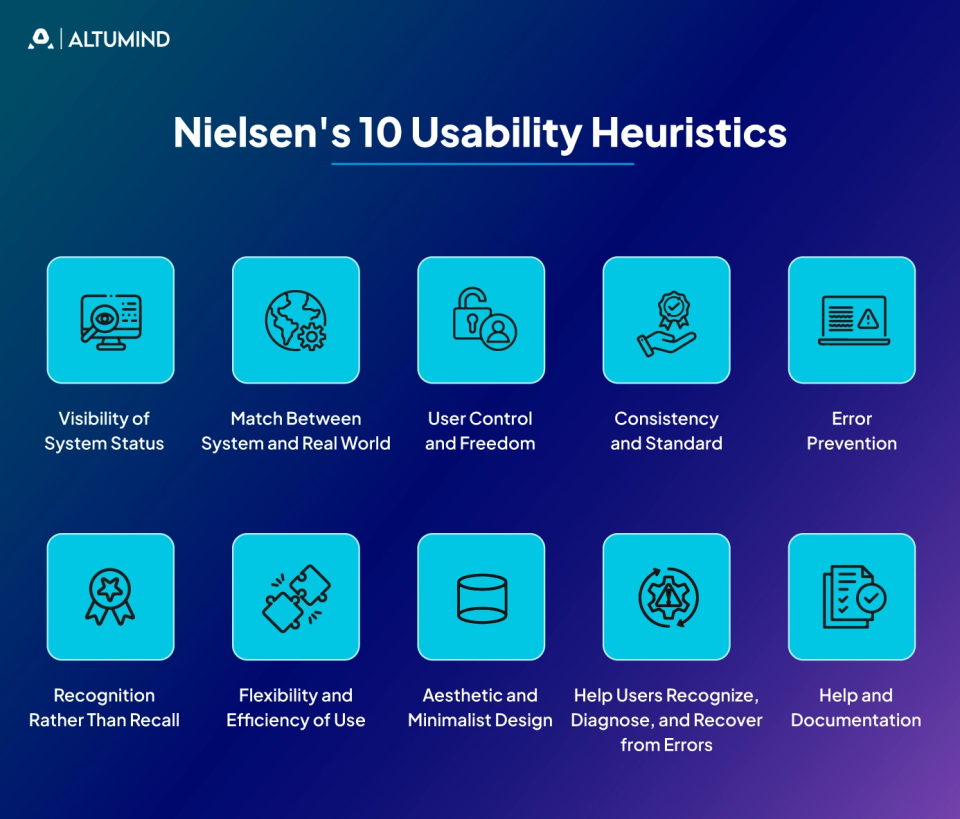
Nielsen’s 10 Usability Heuristics
The most widely adopted framework includes ten core principles that form the foundation of effective usability evaluation:
1. Visibility of System Status
Users should always understand what the system is doing through appropriate and timely feedback. Loading indicators, progress bars, and status messages prevent confusion about whether actions succeeded or are still processing. When systems fail to communicate their state, users wonder if their clicks registered, if processes completed, or if errors occurred. Clear status visibility builds user confidence and reduces anxiety during interactions.
2. Match Between System and Real World
Interfaces should speak the user’s language, using familiar concepts and logical information architecture rather than technical jargon or system-oriented terminology. Design should follow real-world conventions, making information appear in a natural and logical order that matches user mental models. When products use language and metaphors familiar to users, they require less cognitive effort to understand. This alignment between digital and physical world concepts accelerates learning and reduces errors.
3. User Control and Freedom
People make mistakes and need clear ways to undo actions or exit unwanted states without penalty. Emergency exits like clearly marked cancel buttons, back navigation, and undo functions reduce frustration when users accidentally trigger functions or change their minds. Users often explore interfaces through trial and error, so providing easy escape routes encourages experimentation. Systems that trap users in processes or make reversing actions difficult create anxiety that damages the overall experience.
4. Consistency and Standards
Similar elements should look and behave consistently across your product, following platform conventions and industry standards. Users shouldn’t wonder whether different words, situations, or actions mean the same thing in different contexts. Consistency reduces cognitive load because users can apply knowledge from one part of the product to another. When interfaces violate established patterns without good reason, users must relearn behaviors for each new section they encounter.
5. Error Prevention
Good design prevents problems from occurring in the first place through constraints, confirmations, and helpful defaults rather than relying solely on error messages after mistakes happen. Eliminating error-prone conditions or checking for them and presenting users with confirmation options before commitment protects users from costly mistakes. Prevention strategies include input validation, clear constraints on what’s possible, and warnings before irreversible actions. Well-designed systems make it difficult for users to make serious errors in the first place.
6. Recognition Rather Than Recall
Minimize memory load by making objects, actions, and options visible or easily retrievable. Users shouldn’t need to remember information from one screen to apply it on another or recall complex command sequences. Recognition is easier than recall because visible options provide memory cues that help users choose appropriate actions. Good interfaces present all necessary information and options within view or provide clear paths to retrieve them when needed.
7. Flexibility and Efficiency of Use
Provide accelerators for expert users while maintaining simplicity for beginners, allowing the system to cater to both inexperienced and experienced users. Keyboard shortcuts, bulk actions, customization options, and advanced features serve power users who have mastered basic functionality. Flexible systems allow users to tailor frequent actions and customize their experience as they develop expertise. The challenge lies in hiding advanced features from novices without limiting experts who could benefit from them.
8. Aesthetic and Minimalist Design
Interfaces should contain only relevant information, as every extra element competes for attention and dilutes important content. Removing unnecessary elements, simplifying visual design, and focusing on essential information improves both aesthetics and usability. Minimalism doesn’t mean removing functionality but rather eliminating visual noise that distracts from core tasks. Clean, focused designs help users concentrate on what matters most without being overwhelmed by options or decorative elements.
9. Help Users Recognize, Diagnose, and Recover from Errors
Error messages should clearly explain problems in plain language and suggest constructive solutions rather than displaying cryptic codes or technical jargon. Messages should precisely indicate the problem, explain why it occurred when helpful, and provide specific steps to recover. Good error communication treats mistakes as learning opportunities rather than punishing users for natural human behavior. The tone should remain helpful and supportive, guiding users towards successful task completion rather than simply announcing failure.
10. Help and Documentation
While systems should be usable without documentation, it’s important to provide searchable help content when users need additional guidance on complex features or unfamiliar processes. Documentation should be easy to search, focused on user tasks rather than system features, and provide concrete steps to accomplish goals. Help content works best when integrated contextually into the interface where users need it rather than hidden in separate manuals. Well-designed help anticipates common questions and makes answers readily available without requiring users to leave their current workflow.
When to Use Heuristic Evaluation
Heuristic evaluation works particularly well in specific contexts:
- Early Design Stages: Catch usability problems before coding begins. Finding issues in wireframes or prototypes costs far less than fixing problems in production.
- Limited Budget Constraints: Expert reviews require less time and money than comprehensive user testing while still surfacing major issues.
- Quick Validation Needs: When timelines demand rapid feedback, heuristic evaluation delivers actionable insights within days rather than weeks.
- Benchmark Competitive Products: Evaluate competitor interfaces to understand their strengths and weaknesses relative to established principles.
- Internal Training: The evaluation process educates team members about usability principles, improving future design decisions.
UX Audit vs. Heuristic Evaluation: Key Differences
| Aspect | UX Audit | Heuristic Evaluation |
|---|---|---|
| Methodology | Data-driven analysis using analytics, session recordings, and user research | Expert judgment against established usability principles |
| Evidence Base | Quantitative behavioral data from real users | Professional experience and theoretical best practices |
| Timeline | Weeks to months for data collection and analysis | Days to complete with 3–5 expert evaluators |
| Scope | Comprehensive view of entire user journeys and business impact | Focused inspection of interface elements and interactions |
| Cost | Higher investment in tools, data analysis, and time | Lower cost with faster turnaround |
| Findings Type | Quantified problems with business impact metrics | Severity-rated violations of usability principles |
| Best Used | Post-launch when behavioral data exists | Pre-launch during design and prototyping phases |
| Outputs | Data-backed recommendations prioritized by ROI | Expert recommendations based on heuristic compliance |
| Objectivity | High – grounded in actual user behavior | Moderate – depends on evaluator expertise and bias |
Combining UX Audits and Heuristic Evaluations
The most effective approach uses both methods strategically rather than choosing one over the other. Each technique compensates for the other’s blind spots, creating comprehensive understanding when applied together.
Integrated Evaluation Framework
Start with heuristic evaluation during design phases before implementation begins. Expert reviews catch obvious violations early when fixes cost little. This prevents shipping interfaces with fundamental flaws that data would later confirm.
Once products launch and accumulate usage data, conduct comprehensive UX audits. Analytics reveal whether theoretical problems identified in the heuristic review actually affect real users. Data also surfaces issues that didn’t violate heuristics but created friction in practice.
Use heuristic principles to interpret audit findings. When data shows users struggling at specific points, heuristics help diagnose why. The combination of “what’s wrong” from data and “why it’s wrong” from principles accelerates remediation.
Practical Application Process
Organizations can implement this integrated approach systematically:
- Pre-Launch Phase: Conduct heuristic evaluation on prototypes or staging environments. Address major violations before release to avoid shipping with known problems.
- Initial Launch Period: Instrument products thoroughly with analytics and user monitoring. Collect baseline data on actual usage patterns and outcomes.
- Post-Launch Assessment: Perform a comprehensive UX audit after gathering sufficient behavioral data. Quantify problems and prioritize based on business impact.
- Iterative Improvement: Use heuristic evaluation to validate proposed solutions before implementation. Verify that fixes don’t introduce new violations while solving identified issues.
- Continuous Monitoring: Establish regular audit cycles as products evolve. Quarterly or semi-annual assessments catch degradation before problems compound.
Conducting an Effective UX Audit
Successful audits require structured methodology that balances comprehensiveness with practical constraints.
Preparation and Scoping
Define clear objectives before beginning audit work:
- Identify Key User Journeys: Focus on paths that drive business value rather than attempting to evaluate every possible interaction. Prioritize conversion funnels, onboarding sequences, and high-frequency workflows.
- Establish Success Metrics: Determine what good performance looks like for each journey. Baseline current performance so improvements can be measured objectively.
- Assemble Necessary Data: Gather analytics access, user research archives, support ticket themes, and any existing usability test results. Comprehensive data prevents blind spots.
- Secure Stakeholder Alignment: Ensure leadership understands audit purposes and commits to acting on findings. Audits waste resources if insights gather dust rather than driving change.
Data Collection and Analysis
Systematic investigation reveals patterns invisible in casual observation:
- Quantitative Behavior Analysis: Mine analytics for funnel drop-offs, high-exit pages, unusual navigation patterns, and feature adoption rates. Numbers reveal where problems concentrate.
- Qualitative Session Review: Watch session recordings to understand why quantitative patterns exist. Seeing real users struggle provides context that numbers alone cannot.
- Accessibility Testing: Run automated scans with tools like Axe or WAVE, then conduct manual testing with screen readers and keyboard navigation. Automated tools catch only a subset of issues.
- Content Audit: Evaluate whether microcopy actually helps users or creates confusion. Read every error message, form label, and instruction as if encountering it for the first time.
- Cross-Device Testing: Verify experiences across devices, browsers, and screen sizes. Responsive design often breaks in edge cases that affect real users.
Findings Documentation
Effective audit reports translate findings into action:
- Issue Classification: Organize problems by severity and theme. Group related issues to reveal systemic patterns rather than isolated incidents.
- Evidence Presentation: Include screenshots, videos, and data visualizations that make problems concrete. Stakeholders must see issues, not just read descriptions.
- Impact Quantification: Estimate how many users each problem affects and the potential business impact of fixes. Connect UX issues to revenue, retention, or cost metrics leadership cares about.
- Prioritized Recommendations: Sequence fixes based on impact, effort, and dependencies. Provide clear next steps rather than overwhelming teams with undifferentiated lists.
Executing Heuristic Evaluation
Heuristic evaluation delivers maximum value when conducted with rigor and structure.
Evaluator Briefing
Prepare your review team for effective assessment:
- Context Setting: Share product goals, target users, and key use cases. Evaluators need context to judge whether design decisions serve actual needs.
- Scope Definition: Clarify which interfaces require review and which fall outside evaluation boundaries. Complete coverage of a defined scope beats superficial treatment of everything.
- Heuristic Framework Agreement: Confirm which heuristics apply and how to interpret them for your specific context. Standard frameworks may need adaptation for specialized domains.
- Severity Scale Calibration: Align on how to rate issue severity so evaluators apply consistent standards. Define what constitutes critical versus minor violations.
Individual Evaluation Sessions
Each evaluator works independently to avoid bias:
- Systematic Inspection: Review every screen and interaction point methodically. Rushing through evaluation misses problems that careful inspection reveals.
- Violation Documentation: Record each heuristic violation with specifics about location, nature of problem, and which principle it violates. Screenshots or videos supplement written descriptions.
- Severity Rating: Judge the impact of each issue based on how many users it affects, the consequences when encountered, and whether users can work around it.
- Solution Sketching: Note potential fixes where obvious. Evaluators often see remediation approaches during review that save time later.
Synthesis and Reporting
Combine individual findings into actionable guidance:
- Deduplication: Merge identical issues reported by multiple evaluators while preserving different perspectives on complex problems.
- Severity Consolidation: Reconcile different severity ratings through discussion. Understanding why evaluators disagree often clarifies issue importance.
- Pattern Identification: Look for recurring themes that indicate systemic problems rather than isolated mistakes. Patterns suggest root causes worth addressing.
- Recommendation Development: Transform violations into specific, testable improvements. Actionable recommendations accelerate remediation versus vague suggestions.
Conclusion
UX audits and heuristic evaluations serve complementary roles in maintaining product experience quality. Heuristic evaluation catches design problems early through expert review against established principles. UX audits validate real-world impact through behavioral data and quantify business consequences of experience issues.
Altumind helps organizations implement robust evaluation frameworks that combine expert heuristic review with data-driven UX audits through our comprehensive UI/UX services. Our teams bring deep experience to surface issues that internal teams often miss, then work collaboratively to implement improvements that deliver measurable results through systematic evaluation and continuous optimization.