Why Your Users Leave Within Seconds and What a UX Audit Reveals About Lost Revenue

Table of Contents
- Introduction
- Top Reason for UX Audit
- Key Performance Metrics
- Tools Required for UX Audit
- Types of UX Audit
- How to Conduct a UX Audit?
- UX Audit Checklist
- Industries Benefitting from UX Audit
- Common Pitfalls That Undermine Evaluation Success
- How Altumind Transforms User Experience Through Expert Evaluation
- Conclusion
Your engineering team shipped every feature on schedule. Your backend processes millions of requests flawlessly. Yet users abandon your platform before completing basic tasks, and nobody can explain why.
The disconnect between technical excellence and user satisfaction isn’t accidental. It stems from building products around internal assumptions rather than actual user behavior. A UX audit exposes these hidden friction points that silently drain conversion rates and customer lifetime value.
Most leadership teams measure success through deployment velocity and feature counts. They miss the revenue bleeding through confusing workflows, inaccessible interfaces, and experiences that frustrate rather than serve. When products fail despite flawless code, the problem lives in the experience layer.
In this blog we will examine why systematic evaluation matters, what comprehensive audits reveal, and how organizations transform experience debt into competitive advantage through data-driven assessment.
Top Reason for UX Audit
Digital products exist in a state of constant obsolescence. User expectations shift as competitor experiences improve. Design patterns that worked two years ago now feel dated. Accessibility standards tighten. Mobile usage patterns change.
Your product accumulates experience debt the same way codebases accumulate technical debt. Each postponed improvement, each “we’ll fix it later” decision, compounds into systemic usability problems that no single feature addition can solve.
Business triggers that demand immediate evaluation:
- Conversion rates declining despite increased traffic volume.
- Customer acquisition costs rising while retention metrics fall.
- Support ticket volume growing faster than user base.
- Feature adoption plateauing regardless of marketing effort.
- Competitive losses attributed to “better user experience.”
These symptoms indicate fundamental experience problems. A UX audit quantifies the gap between your product’s current state and user expectations, providing the data executives need to justify investment in experience improvements.
Organizations investing in digital product development often skip systematic evaluation phases. They prioritize speed over comprehension, launching products that technically function but fail to support real user needs. The cost of this oversight emerges slowly through poor retention and elevated support costs.
Key Performance Metrics
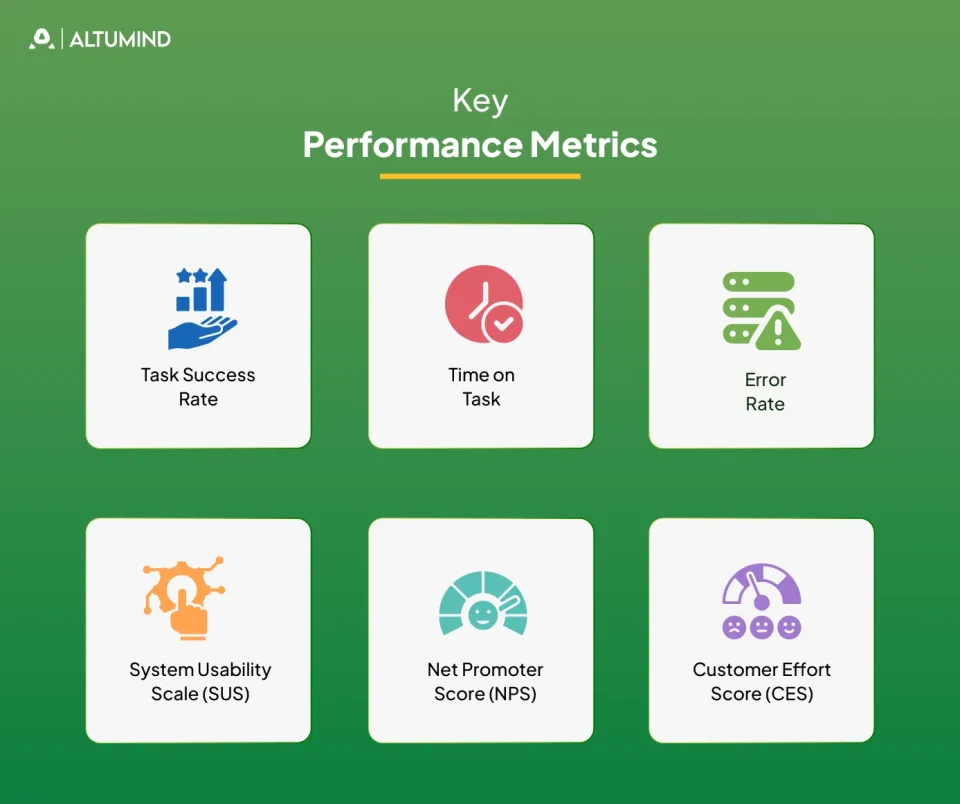
Measuring user experience requires moving beyond vanity metrics. Page views and session duration tell incomplete stories. They don’t reveal whether users accomplished their goals or abandoned them in frustration.
1. Task Success Rate
The percentage of users who complete intended actions without assistance. A banking app with 60% task success loses 40% of potential transactions to interface confusion. This metric directly correlates with revenue impact because every failed task represents a lost business opportunity.
2. Time on Task
How long users take to complete standard workflows. Longer durations don’t indicate engagement but signal confusion. When checkout time increases from one minute to three, conversion rates decline due to added friction. Benchmark against competitor performance to understand where you stand in user efficiency.
3. Error Rate
Frequency of user mistakes, form submission failures, and corrective actions. High error rates indicate poor affordance design, unclear feedback, or cognitive overload from interface complexity. Track error patterns to identify which interface elements consistently trip users up.
4. System Usability Scale (SUS)
A standardized questionnaire producing scores from 0 to 100. Scores below 68 indicate below-average usability that drives users toward competitors. Products scoring above 80 demonstrate superior experience quality that commands pricing power and reduces price sensitivity.
5. Net Promoter Score (NPS)
Measures likelihood of user recommendations on a scale from -100 to +100. Detractors actively damage brand value through negative word-of-mouth and online reviews. Passive users contribute no growth momentum. Only promoters drive sustainable expansion through referrals and advocacy.
6. Customer Effort Score (CES)
Quantifies how hard users work to accomplish goals on a seven-point scale. Low-effort experiences build loyalty because users can achieve outcomes quickly. High-effort interactions, even when successful, erode satisfaction and increase churn probability by making alternatives more attractive.
These metrics form the baseline for audit UX design evaluation. Without quantified starting points, improvement claims lack credibility, and investment decisions rest on opinions rather than evidence.
Tools Required for UX Audit
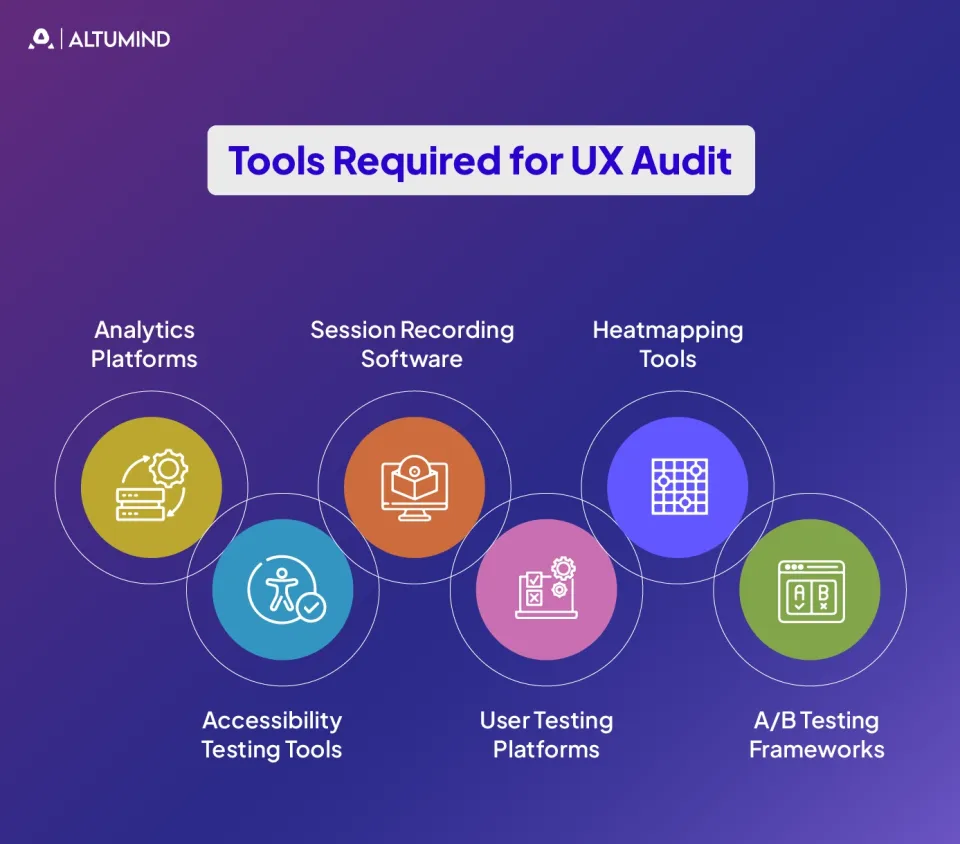
Proper evaluation demands the right instrumentation. Opinions and assumptions yield unreliable conclusions. Data from actual user behavior reveals truth.
1. Analytics Platforms
Google Analytics, Mixpanel, or Amplitude track user flows, drop-off points, and conversion funnels. They answer “what” questions through quantitative data but rarely explain “why” users behave as they do. Set up goal tracking and event monitoring to capture meaningful interactions beyond basic page views.
2. Session Recording Software
Hotjar, FullStory, or Microsoft Clarity capture real user sessions showing cursor movements, clicks, scrolls, and rage clicks. Watching actual interactions reveals confusion patterns, hesitation moments, and workaround behaviors that quantitative data misses. Filter recordings by user segments to identify demographic-specific issues.
3. Heatmapping Tools
Visual representations of click patterns, scroll depth, and attention distribution across pages. They expose which interface elements attract engagement and which get ignored despite designer intentions. Use heatmaps to validate whether visual hierarchy performs as intended.
4. Accessibility Testing Tools
WAVE, or Lighthouse, identifies WCAG compliance gaps automatically. Screen reader compatibility, keyboard navigation, and color contrast ratios all impact both legal compliance and market reach. Automated tools catch many of the accessibility issues, while manual testing finds the rest.
5. User Testing Platforms
UserTesting, Maze, and Lookback facilitate remote observation of real users attempting actual tasks. Record sessions for stakeholder review and pattern identification.
6. A/B Testing Frameworks
Optimizely, VWO, or Google Optimize enable hypothesis validation through controlled experiments. Assumptions about “better” design require empirical proof before full deployment. Test one variable at a time to isolate impact and build learning.
The specific tools matter less than systematic application. Ad hoc testing produces incomplete insights. Structured evaluation using appropriate instrumentation generates actionable findings that justify investment decisions.
Types of UX Audit
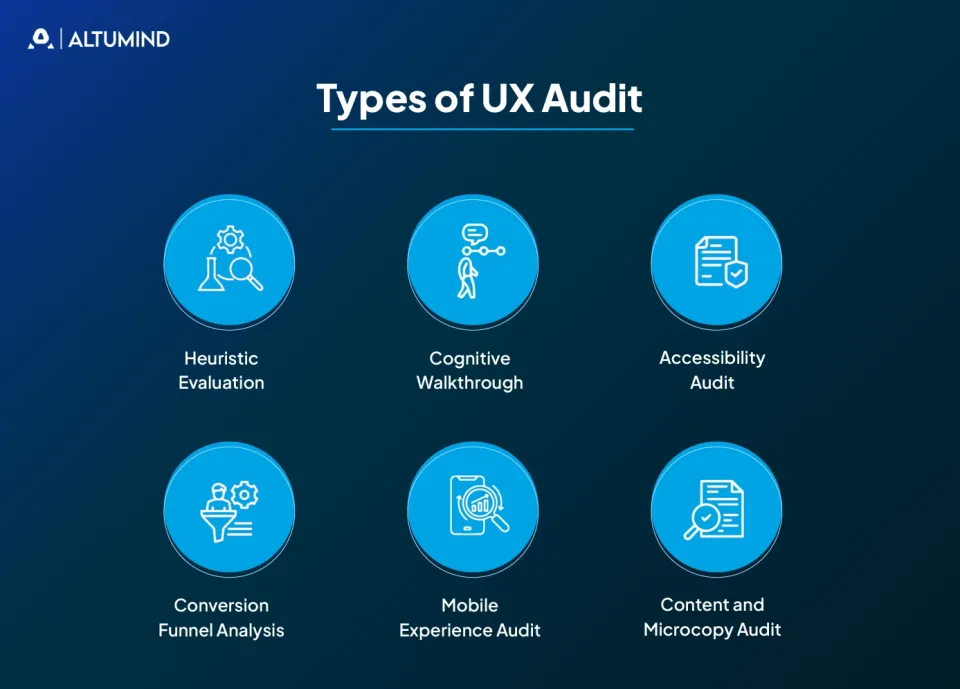
Different organizational needs require different evaluation approaches. Comprehensive audits examine everything. Focused audits target specific problem areas.
1. Heuristic Evaluation
Expert reviewers assess interfaces against established usability principles like Nielsen’s 10 heuristics. This approach identifies obvious violations quickly but misses context-specific issues that only user testing reveals. Works best for early-stage products or when budget constraints prevent extensive user research.
2. Cognitive Walkthrough
Evaluators simulate user mental processes while attempting specific tasks step by step. This method excels at identifying learning barriers for new users who lack product familiarity. However, it may miss issues that only emerge with extended use or expert-level workflows.
3. Accessibility Audit
Systematic verification of WCAG compliance across interface components, including perceivable, operable, understandable, and robust criteria. Legal risk and market expansion both justify this investment since accessibility issues can trigger lawsuits and exclude significant customer segments.
4. Conversion Funnel Analysis
Deep examination of high-value user flows like signup, checkout, or onboarding that directly impact revenue. Small improvements in these critical paths deliver disproportionate revenue impact because even 5% conversion increases multiply across every user entering the funnel.
5. Mobile Experience Audit
Dedicated evaluation of touch interfaces, responsive behavior, and mobile-specific contexts like one-handed use, outdoor visibility, and varied connection speeds. Desktop-first design thinking often produces poor mobile experiences even when technically responsive.
6. Content and Microcopy Audit
Assessment of all interface text, including labels, errors, tooltips, help content, and empty states. Vague or technical language creates friction that visual design alone cannot fix. Evaluate tone consistency and whether copy actively guides users toward successful outcomes.
How to Conduct a UX Audit?
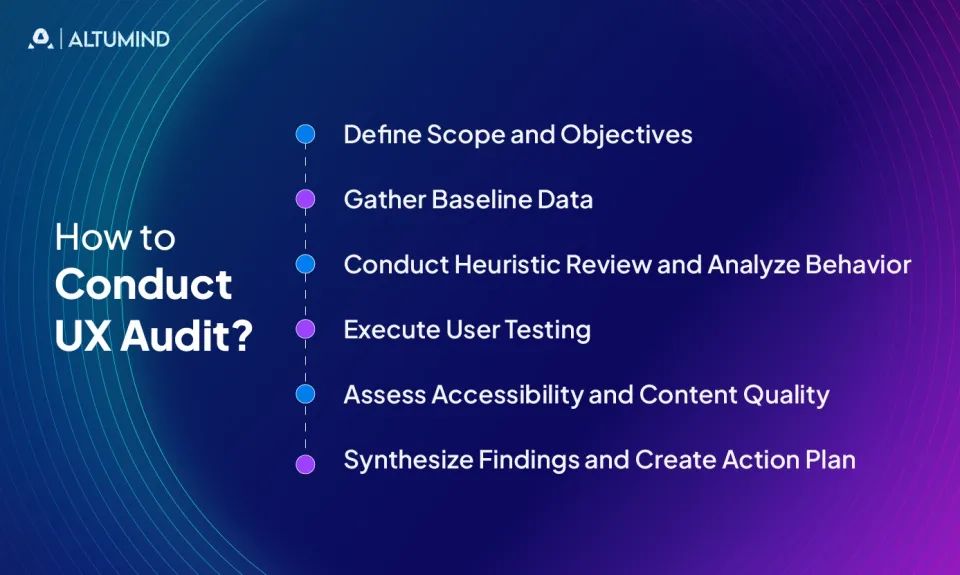
Systematic evaluation follows a structured process. Random testing produces random insights. Methodical assessment generates prioritized action plans.
Step 1: Define Scope and Objectives
Identify which aspects of the product need evaluation and why. Complete platform audits differ fundamentally from targeted conversion flow analysis in resource requirements, timeline, and deliverables.
Establish success criteria upfront with measurable targets:
- What metrics must improve?
- By how much?
- Within what timeframe?
Connect evaluation goals to business objectives like reducing support costs by 25%, increasing trial-to-paid conversion by 15%, or decreasing onboarding time by 40%.
Document stakeholder alignment on priorities. When leadership agrees on what matters most before evaluation begins, findings receive faster approval and implementation.
Step 2: Gather Baseline Data
Collect current performance metrics across all relevant dimensions before conducting evaluation activities. Analytics data showing user flows, drop-off points, and time-on-task. Support tickets categorized by issue type and frequency. User feedback from surveys and customer success conversations. Competitive benchmarks from similar products.
This baseline quantifies the starting point and later proves improvement impact. Capture screenshots and recordings of current experiences as documentation. Set up proper tracking if it doesn’t exist yet: Tag critical user actions and instrument conversion funnels, and configure error logging.
Step 3: Conduct Heuristic Review and Analyze Behavior
Expert evaluators systematically examine interfaces against usability principles following established frameworks. Document violations with screenshots, assess severity, and estimate user impact based on affected workflow frequency. This phase typically reveals 30-40% of significant issues.
Review session recordings, heatmaps, and funnel analytics for patterns rather than individual outliers. Look for repeated user confusion indicators like rage clicks, frantic scrolling, extended pauses, or form field abandonment. Segment analysis by user type, device, and geography reveals different issues across different contexts.
Step 4: Execute User Testing
Observe real users attempting realistic tasks without guidance or leading questions. Recruit participants matching your target audience demographics and experience levels. Use think-aloud protocols where participants verbalize their thoughts while working.
Task-based testing quantifies completion rates and identifies specific pain points. Record sessions for later analysis and stakeholder review. Note both what users say and what they actually do since stated preferences often conflict with observed behavior.
Step 5: Assess Accessibility and Content Quality
Run automated accessibility testing tools like axe DevTools, WAVE, or Lighthouse across all major templates. Manual testing finds issues automation misses: navigate using only keyboard commands, and test with screen readers like NVDA or VoiceOver.
Review all interface text systematically, including button labels, navigation items, form instructions, error messages, and help content. Test readability using tools like Hemingway. Check tone consistency across the product. Verify that content addresses user questions at decision points.
Step 6: Synthesize Findings and Create Action Plan
Consolidate observations from all evaluation activities into prioritized recommendations. Group related issues into themes like navigation problems, mobile-specific issues, or form friction. Estimate implementation effort versus expected impact for each finding.
Convert findings into concrete next steps with assigned owners, realistic timelines, and success metrics. Quick wins deployed first demonstrate momentum. Foundational changes come next. Establish continuous measurement cadences to track impact post-implementation. The UX audit cycle continues iteratively rather than ending with a single report.
UX Audit Checklist
Comprehensive evaluation requires systematic coverage. This UX audit checklist prevents oversight of critical elements.
Navigation and Information Architecture
- Can users predict where links lead before clicking?
- Does taxonomy match user mental models?
- Are primary actions immediately visible?
- Do breadcrumbs accurately reflect location?
Visual Design and Layout
- Does visual hierarchy guide attention to important elements?
- Is the content scannable with clear headings and spacing?
- Do interface states provide clear feedback?
- Does the design maintain consistency across contexts?
Forms and Input Mechanisms
- Are required fields clearly marked?
- Do error messages explain how to fix problems?
- Does inline validation prevent errors before submission?
- Are field labels positioned for clarity?
Mobile Responsiveness
- Do touch targets meet minimum size requirements?
- Does content reflow logically on small screens?
- Are gestures intuitive and discoverable?
- Does performance remain acceptable on slower connections?
Accessibility Compliance
- Can all functionality be accessed via keyboard?
- Do color contrasts meet WCAG AA standards?
- Are images described with appropriate alt text?
- Do screen readers announce interface changes?
Performance and Loading
- Do pages load within three seconds on average connections?
- Are loading states clearly communicated?
- Does the interface remain functional during background processes?
Content Quality
- Is language clear and appropriate for audience expertise?
- Do CTAs clearly indicate outcomes?
- Are help resources contextually relevant?
This checklist provides starting coverage. Industry-specific requirements add domain-relevant criteria.
Industries Benefitting from UX Audit
Every digital product benefits from systematic evaluation, but certain sectors face unique experience challenges that make audits particularly valuable.
1. Financial Services
Banking platforms balance security requirements with usability needs in ways that often create friction. Authentication flows that prioritize compliance theater over actual security may unintentionally push users toward insecure workarounds. Dashboard designs that display every data point simultaneously help nobody make decisions. Transaction histories lacking meaningful search force users to export data to spreadsheets for basic analysis.
2. Healthcare Platforms
Patient portals fail not from insufficient features but from overwhelming complexity that assumes technical literacy most patients lack. Medical terminology that clinicians use daily confuses patients who need translations and context. UX design in healthcare directly impacts health outcomes when interfaces create barriers to care access. Lab results without reference ranges cause unnecessary anxiety. Appointment reminders that don’t specify preparation requirements lead to wasted visits.
3. E-commerce Operations
Product pages optimized for search engines often neglect actual buying decisions. Specifications listed without context, images that lack scale reference, and reviews without verified purchase indicators all contribute to cart abandonment. Unexpected costs at checkout, complicated multi-step flows, and forced account creation drive users away. Size guides requiring measurement tools users don’t own and return policies buried in legal text create unnecessary friction.
4. SaaS Platforms
Onboarding sequences that showcase all features instead of enabling quick wins lose users before they reach value realization. Settings panels organized by technical architecture rather than user goals create search quests. Trial periods that restrict essential functionality undermine user trust and prevent meaningful evaluation. Empty states that don’t guide next actions leave users stranded without clear paths forward.
5. Educational Technology
Learning platforms that prioritize content delivery over learning science produce poor outcomes despite extensive material. Progress tracking that focuses on completion percentages rather than comprehension misses the point of education. Interfaces designed for administrators rather than learners, creating adoption resistance. Assignment submission processes more complex than email attachments frustrate students and teachers alike.
Common Pitfalls That Undermine Evaluation Success
Organizations commonly sabotage their own evaluation efforts through predictable errors. These mistakes waste resources and produce misleading conclusions.
- Testing Only with Internal Teams: Your employees know the product too intimately. They’ve memorized workarounds, internalized logic, and developed muscle memory for awkward interactions. This familiarity blinds them to new user confusion.
- Prioritizing Executive Opinions Over User Data: HiPPO (Highest Paid Person’s Opinion) decisions override evidence. When stakeholder preferences conflict with user behavior data, choosing opinion over evidence guarantees poor outcomes.
- Fixing Symptoms Instead of Root Causes: Adding tooltips to explain confusing interfaces addresses symptoms. Redesigning the interface to eliminate confusion fixes the actual problem. Surface-level patches accumulate technical and experience debt.
- Ignoring Mobile Contexts: Testing desktop experiences exclusively misses the reality that the majority of traffic comes from mobile devices. Different screen sizes demand different solutions, not just responsive scaling.
- Evaluating Without Clear Success Criteria: “Make it better” isn’t a measurable goal. Specific targets like “increase task completion from 65% to 80%” or “reduce time-on-task by 30%” provide accountability and focus.
- Conducting Audits Without Implementation Authority: Evaluation without execution wastes resources. Findings that nobody has a budget or mandate to address create frustration without improvement.
- Testing in Unrealistic Conditions: Laboratory testing on fast networks with new devices misses real-world conditions. Throttled connections, older hardware, and distracted contexts reveal different problems.
How Altumind Transforms User Experience Through Expert Evaluation
Solving experience problems requires specialized expertise. Internal teams often lack the specialized skills, external perspective, and focused capacity that comprehensive evaluation demands.
Altumind’s UI/UX services combine behavioral science, technical depth, and strategic thinking to identify not just what’s broken but why it matters and how to fix it. Our approach integrates multiple evaluation methods into cohesive findings that executives can act on immediately.
1. Strategic Business Alignment
We start with your business objectives rather than design preferences. Revenue goals, retention targets, market expansion plans, and competitive positioning. Experience improvements that don’t connect to business outcomes waste resources regardless of aesthetic appeal. Our evaluation frameworks directly link user experience problems to financial impact through conversion modeling, customer lifetime value analysis, and support cost quantification.
2. Comprehensive Evaluation Methodology
Our CX audit methodology examines complete customer journeys across all touchpoints. Products don’t exist in isolation. Marketing creates expectations that products must fulfill. Support interactions either reinforce or undermine product confidence. Our CX service approach tracks experience quality across the entire relationship lifecycle, from first awareness through renewal decisions.
3. Data-Driven Recommendations
Competitive benchmarking positions your product relative to market expectations. Users judge experiences against the best they’ve encountered anywhere, not just within your industry. We identify where your product leads, where it lags, and what specific improvements close performance gaps.
4. Implementation Support Beyond Reports
Many audits end with detailed recommendations that nobody implements due to resource constraints, unclear priorities, or stakeholder misalignment. We provide prioritized roadmaps that balance impact against effort, identifying quick wins that build momentum while planning structural improvements that address root causes. Our design systems and modular approaches accelerate implementation timelines.
5. Continuous Improvement Cycles
We measure results post-implementation, verifying that changes actually improved experience quality rather than just being different. A/B testing quantifies impact on key metrics. Continuous monitoring catches new issues before they compound into systemic problems. Our teams support each stage of the evaluation and improvement process so changes perform well in real environments.
6. Technology Integration Expertise
We integrate emerging technologies like AI personalization, voice interfaces, and AR/VR experiences where they genuinely improve outcomes rather than adding complexity for novelty. Our omnichannel approach creates unified experiences across web, mobile, voice, and immersive platforms. Ethical design principles centered on transparency, privacy, and purpose-driven engagement help your brand earn trust in markets increasingly concerned about data practices.
Conclusion
A UX audit transforms assumptions into evidence. It quantifies the gap between current product performance and user expectations, providing the data leadership teams need to justify experience investment. Organizations that systematically evaluate their digital products identify revenue-draining friction before competitors use it as differentiation.
The work reveals not just interface problems but strategic opportunities. Markets reward products that respect user time and intelligence with premium pricing and sustainable growth. Technical excellence without quality experience wastes engineering talent on products users abandon.
Altumind helps businesses move beyond reactive fixes toward systematic experience excellence built on behavioral data and proven design principles. Our teams support each stage of the evaluation and improvement process so changes perform well in real environments.
Leaders who want precise, future-ready digital experiences can connect with Altumind to discuss their goals and understand the path toward products that users actually prefer.
Table of Contents
- Introduction
- Top Reason for UX Audit
- Key Performance Metrics
- Tools Required for UX Audit
- Types of UX Audit
- How to Conduct a UX Audit?
- UX Audit Checklist
- Industries Benefitting from UX Audit
- Common Pitfalls That Undermine Evaluation Success
- How Altumind Transforms User Experience Through Expert Evaluation
- Conclusion
Let's Connect
Reach out and explore how we can co-create your digital future!